
I've created a VS Code extension for the Chevere Workflow library. It provides language server support with DSL-like introspection. This extension aims to ease the development and maintenance of complex workflow procedures by providing auto-completion, linter and graph preview.
# Why
This became a need as soon as I noticed friction points that made package usage unpredictable, time-consuming and therefore expensive to work with. Several times I found myself requiring a considerable effort to design a workflow, but once the design was completed the whole experience was better.
The get started part showed me a gravy train situation that needed a language tool to make it easy on the beginning of the design process, with a visualization of the underlying job sequence.
Two pain areas got my attention: (1) Type checking and (2) visibility of the process graph. Workflow must be able to communicate the IDE all the violations, provide predictions based on declared jobs and deliver an interactive graph visualization.
# Enter lint mode
To make this extension possible, the library needed a lint mode, which is a special runtime flag that instructs the library to collect all type hints, errors and inconsistencies under a structured Workflow Lint schema, which is analyzed by the extension and reported back to the user.
This automatic feedback loop makes the package usage experience superior (there's some opinion on my bias) as this structured format can be introspected and analyzed by IDEs, agents, etc.
# Features
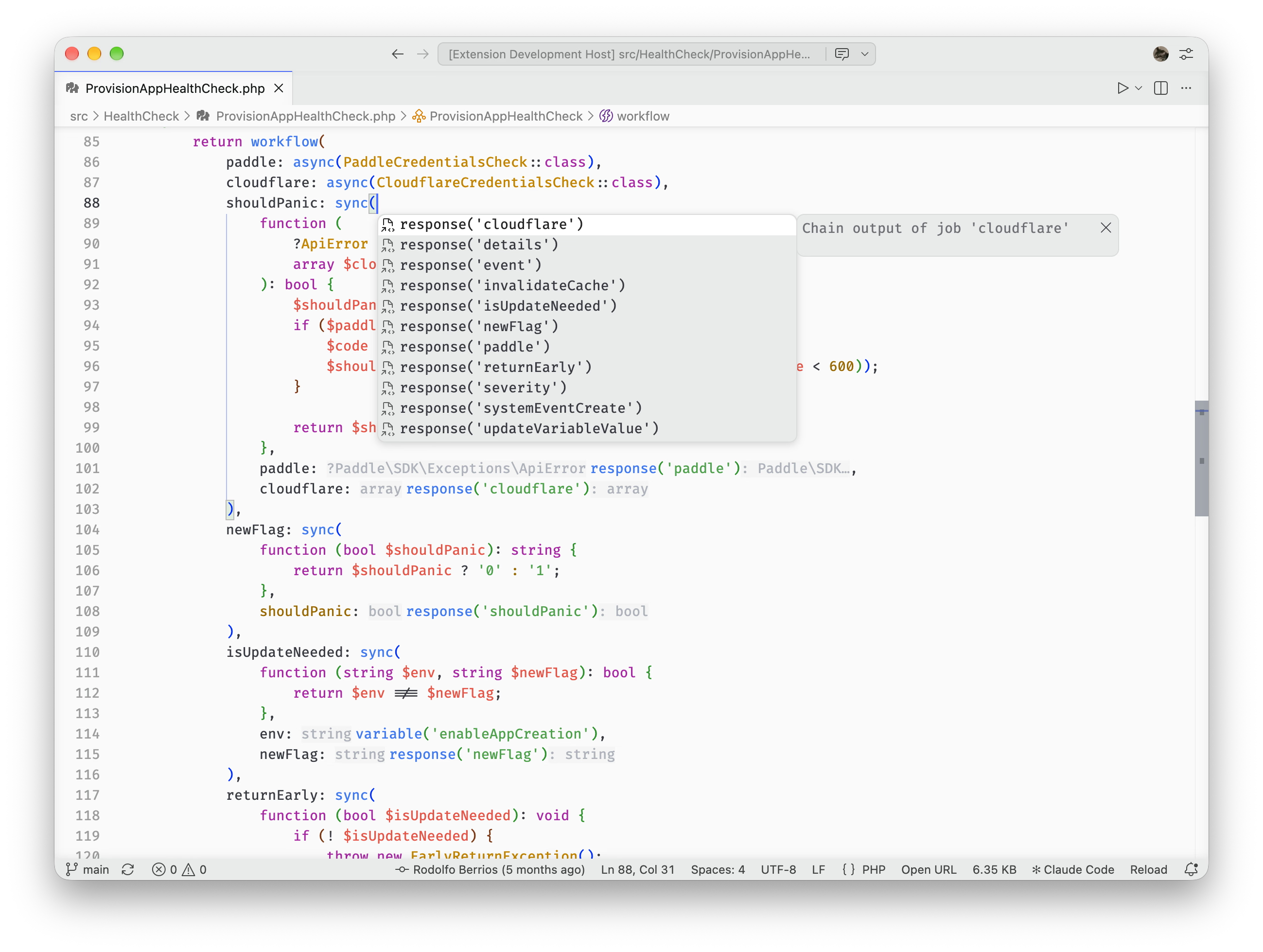
- Diagnostics: Validates job arguments against reflected PHP class signatures: missing required params, unknown args, type mismatches,
response()chain errors, Chevere Parameter attribute constraint violations,withRunIf()/withRunIfNot()variable and response violations, andwithDepends()missing dependency errors - Inlay hints: Shows parameter types before argument values and return types after
response()calls - Hover: Displays full method signatures with parameter types, defaults, and required/optional status; hovering over
variable('name')shows the variable's schema - Completion: Suggests available parameter names (required first) with snippet expansion; offers
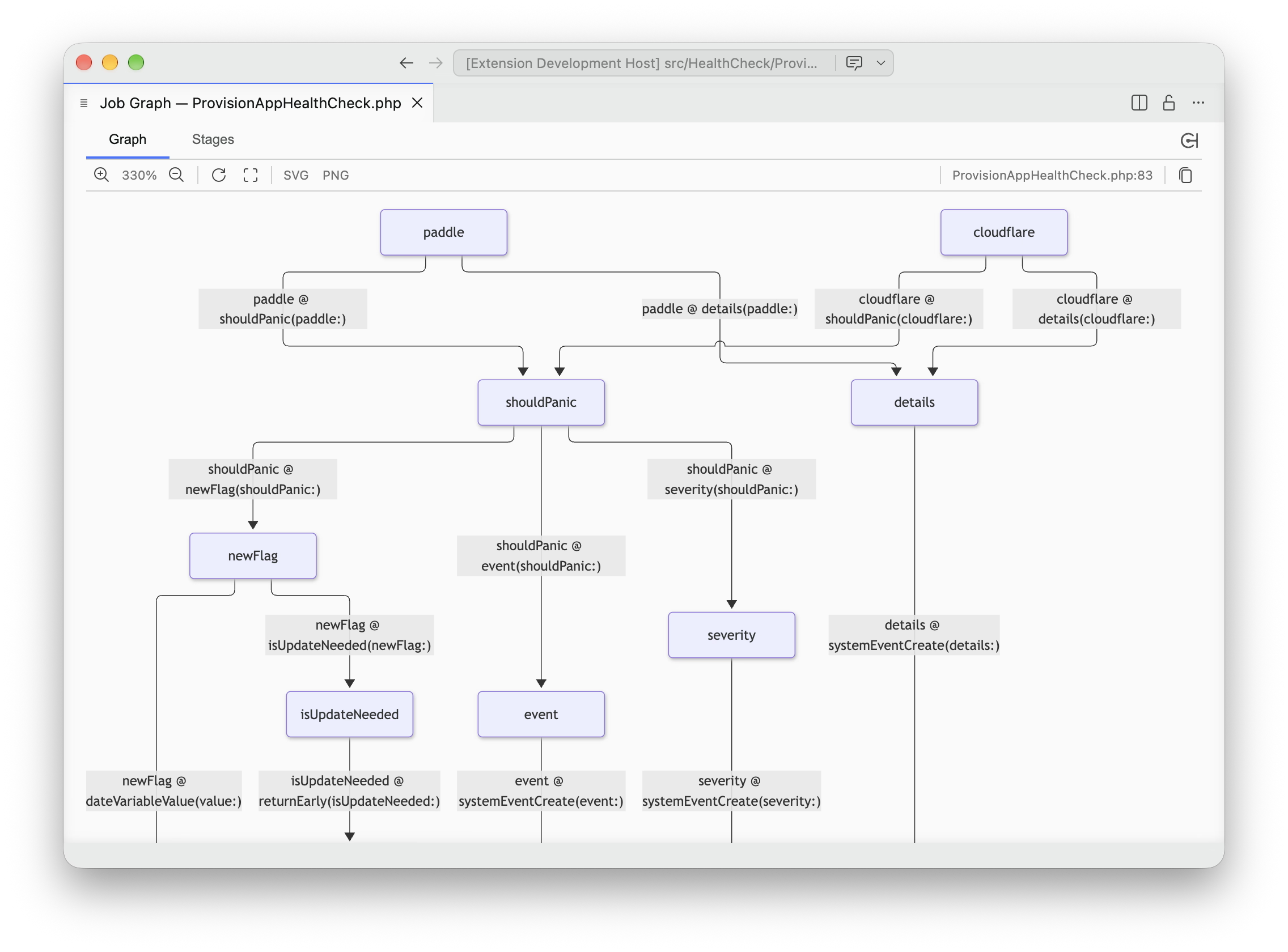
response()references to other jobs in the workflow - Graph: Interactive Mermaid visualization of the workflow dependency graph, with zoom/pan controls, export SVG/PNG and copy-to-clipboard Mermaid source code button
- Stages: Interactive lists stages (execution flow)
# Get it now
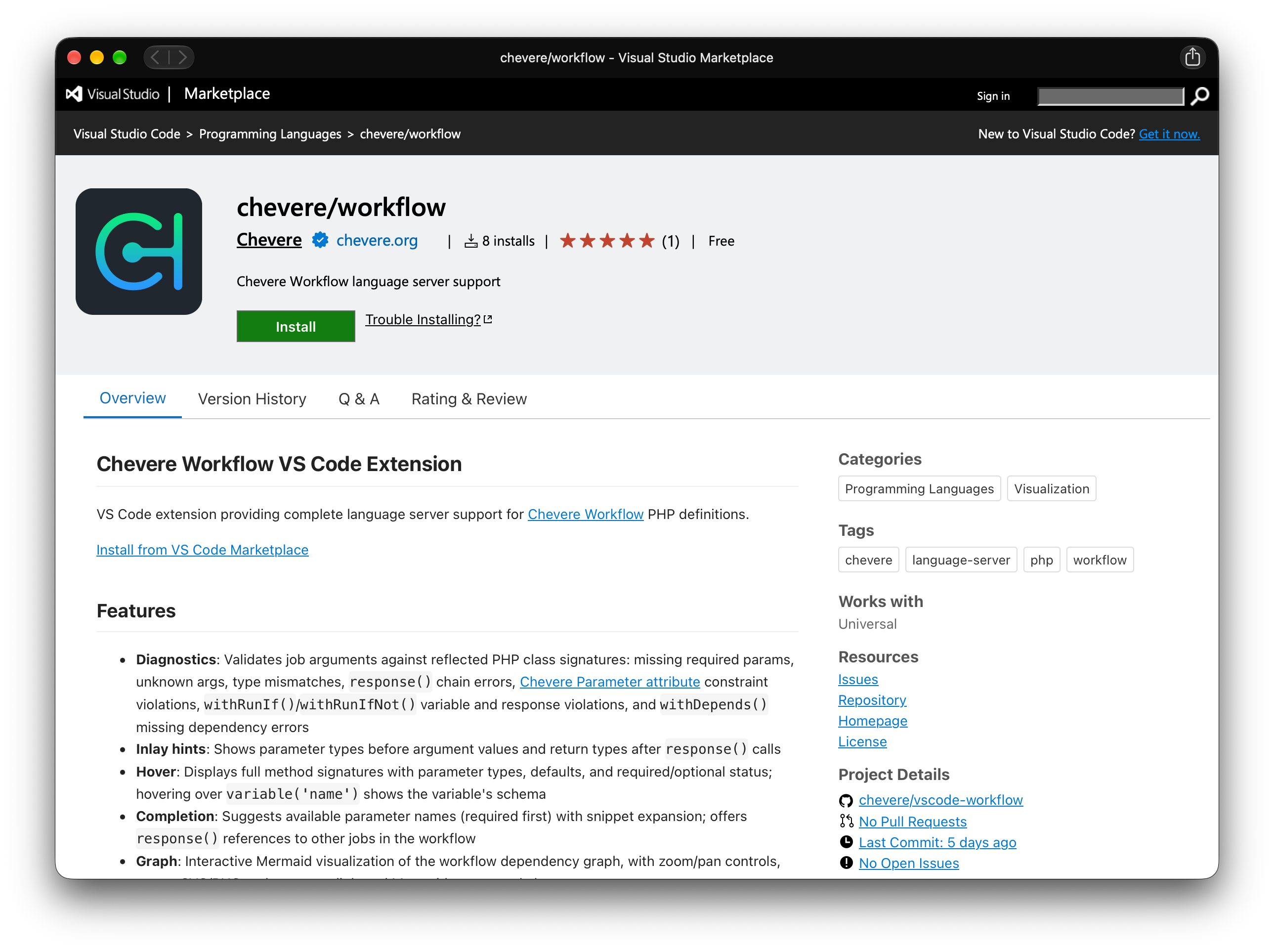
You can get the extension directly via VS Code Marketplace. Source code available at chevere/vscode-workflow.